
Microsoft Expects Bigger Patch Days as AI Finds More Bugs. Check Your Update Routine Before October 13
Microsoft says its September 2026 security release fixed a record number of vulnerabilities, "close to 1,000," and expects high volumes to continue. A checklist for small offices before the October 13 Patch Tuesday, plus what Exchange Server owners need to know.
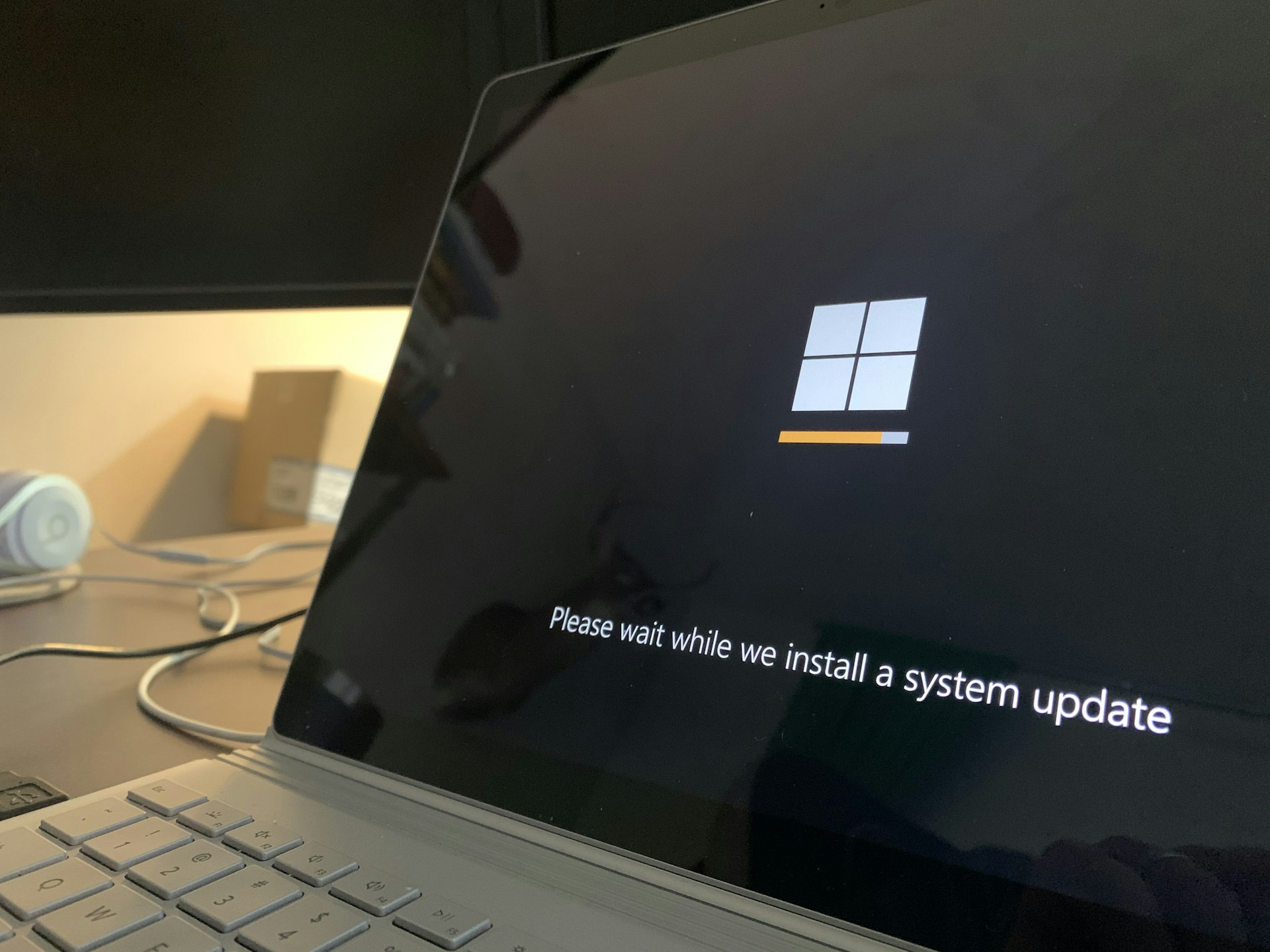
Photo by Clint Patterson on Unsplash
The takeaway
Before Tuesday, October 13, confirm that Windows, browser and Office updates install and restart on their own, and agree with your IT provider which servers and internet-facing devices get patched first.
On Tuesday, October 6, 2026, Microsoft told security leaders to expect more patches, and to install some of them faster. In a Microsoft Security Blog post, two Microsoft security executives wrote that AI models are speeding up how software flaws are found. For Microsoft software that customers run on their own machines, the number of vulnerabilities fixed on Patch Tuesday (the second Tuesday of each month, when Microsoft ships its regular security updates) has climbed, and “September 2026 saw a record number, close to 1,000.” Customers “should continue to expect a high volume of patches on future Patch Tuesdays, at least over the coming period.”
The same day, Google released Chrome 155 with 247 security fixes. Google doesn’t mark any of them as already exploited, and the Exchange flaw covered below isn’t known to be exploited either. Those statements do not rule out undiscovered attacks. Install available fixes promptly and make sure your monthly update routine can handle the volume, and the next Patch Tuesday is Tuesday, October 13, 2026.
It affects every business with Windows PCs, web browsers and Office apps, and most of all one with its own server or an internet-facing device such as a firewall or VPN.
What changed
More flaws are being found, faster. Microsoft says it now uses frontier AI models, the most capable models available, to scan its own code for flaws. In a separate post on Wednesday, October 7, 2026, Microsoft said its AI-driven research team helped find Windows flaws that received 140 CVEs between May and September 2026, 52 of them in the September release alone. (A CVE is the public ID number given to each known flaw.)
Google’s Chrome list shows the same trend outside Microsoft. Of the 247 fixes in Chrome 155, Google rates 4 as Critical and 53 as High, by our count of its published list. Fourteen of those 57 credit researchers working with AI tools, including two of the four Critical ones.
There’s less time to install them. Microsoft’s executives note that critical systems have traditionally been patched “when downtime is least disruptive, such as weekends or holidays.” But, they write, “As AI shortens the time between patch release and exploitation, that trade-off may need to change.” For domain controllers and edge devices (both explained below), they suggest: “Consider deploying fixes to these systems within 24 hours rather than waiting for the next maintenance window.” Microsoft’s Windows team said the same in July: “The most important guidance is to stay current and take security updates as soon as possible” (Windows Experience Blog).
Most cloud fixes are Microsoft’s job. Microsoft says, “Most vulnerabilities in cloud software are being mitigated by Microsoft without customer intervention.” The extra volume lands on what you run yourself: Windows on every PC, the Office apps installed on them, and any server in your office.
Who is affected
- Every office with Windows PCs, Chrome or Edge, and Microsoft 365 apps. These update by default, but the update only takes effect after a restart. Google says Chrome updates “happen in the background when you close and reopen” the browser (Google), and Microsoft says the same of Edge (Microsoft Support). A laptop or browser that never restarts can stay behind for weeks.
- Offices with a server on site. A domain controller is the Windows server that handles sign-ins on an office network that uses Active Directory. Small offices may also have a file server, an accounting or practice-management server, or an old Exchange email server. Restarting a server interrupts everyone, so servers often wait for a weekend. That is the habit Microsoft is asking organizations to rethink.
- Anything that faces the internet. “Edge devices” are the firewall, router, VPN or remote-access gateway between your network and the internet. Attackers can reach them directly, without tricking anyone into clicking a link. Recent attacks on Citrix NetScaler gateways and MikroTik routers went after exactly this kind of equipment.
- Windows 10 version 22H2 PCs. Support ended on October 14, 2025. Continued security fixes require eligibility and enrollment in Microsoft’s Extended Security Updates program. Business ESU generally costs extra, although qualifying Windows 365 and Azure scenarios include it. Have IT check the exact edition and entitlement: long-term servicing editions have separate lifecycles.
Your checklist before October 13
1. Make sure Windows updates finish, including the restart. On a single PC, go to Settings > Windows Update and select Check for updates. Microsoft’s instructions say, “If prompted to do so, restart your device to apply the updates” (Microsoft Support). If a PC says a restart is required, it isn’t protected yet.
If your PCs are managed with Microsoft Intune, the setting that matters is the deadline. In the Intune admin center, go to Devices > By platform > Windows > Manage updates > Windows updates, then the Update rings tab (Microsoft Learn). Under Use deadline settings, Deadline for quality updates is the number of days (2 to 30) a PC can put off the monthly security update before it installs automatically. Grace period can be set from 0 to 7 days (Microsoft Learn). Microsoft’s deadline guidance explains that the grace period counts from when an update reaches the pending-restart state, and that enforcement uses the later of the update deadline and the end of that restart grace period. Microsoft recommends setting Auto reboot before deadline to Yes, so PCs can restart when nobody is using them. Our suggestion for a small office is a deadline of a few days rather than weeks. Offices that use Group Policy instead of Intune have the same deadline settings (Microsoft Learn).
2. Make sure browsers restart.
- Chrome: select More (the three dots) > Help > About Google Chrome. Chrome checks for updates on that page. If you see Relaunch, select it. The fixed version is 155.0.8059.39 or later, which Google says will roll out “over the coming days/weeks.”
- Edge: select Settings and more > Help and feedback > About Microsoft Edge. Edge picks up the same Chromium fixes as Chrome, but on its own schedule. According to Microsoft’s Edge security release notes, Edge version 155.0.4283.45, released Thursday, October 8, 2026, “incorporates the latest Security Updates of the Chromium project.” If the About page shows an older version, let it update and select Restart.
- For managed browsers: Edge has a policy called RelaunchNotification. Set to Required, it warns users and then restarts the browser “as soon as a notification period passes,” seven days by default (Microsoft Learn). Ask your IT provider whether your browsers have a forced restart like this.
3. Check that Office updates are turned on. Open Word and go to File > Account > Update Options (Microsoft Support). If the menu offers Enable Updates, updates were switched off on that PC. If there’s no Update Options button at all, Microsoft says that usually means a volume-license installation or Office updates managed through Group Policy, so ask IT.
4. Write down what needs faster patching. Make a short list: the firewall or router, any VPN or remote-access system, and each server on site. For each item, note who patches it, how they hear about new fixes, and how quickly they install them. Microsoft’s 24-hour suggestion is written for chief information security officers. For a small office, a workable target is agreeing with your provider that internet-facing devices get critical fixes within a day or two. Anything on CISA’s Known Exploited Vulnerabilities catalog, which lists flaws attackers are already using, goes to the front of the line.
5. Plan for October 13. Agree on three things in advance:
- A test group. Let one or two PCs take the update first. Microsoft says Intune’s update rings are commonly used for this kind of staged rollout.
- A server restart time. Schedule it for that evening rather than the weekend.
- What happens if something breaks. Call your provider before uninstalling anything. Microsoft’s Windows team says that when an update causes a problem, it can use Known Issue Rollback to undo just the change responsible, which “allows the customer’s security protections to stay in place instead of uninstalling an entire update.”
6. Find any Windows 10 PCs. Have IT verify the edition, support lifecycle and any ESU enrollment and end date. For PCs without continuing security updates, plan a supported Windows upgrade or replacement.
If you still have an Exchange server
On Friday, October 2, 2026, Microsoft re-released its September Exchange Server security updates as “V2” to add one new fix, CVE-2026-96940 (Exchange Team Blog). Microsoft rates it Important, with a CVSS severity score of 8.8 out of 10. According to Microsoft’s advisory, an attacker who can sign in “could gain unauthorized access to other users’ mailboxes within the same organization and read email messages and attachments.” An authenticated attacker could cross mailbox access boundaries; the advisory does not establish that every stolen employee password is sufficient in every configuration. Microsoft says it found the flaw itself and is “not aware of active exploitation,” although its advisory rates the flaw “Exploitation More Likely.”
What to do depends on your setup:
- Exchange Online only (Microsoft 365 email, no server of your own): Microsoft has already fixed it on its side. There’s nothing to install.
- A server kept only to manage Microsoft 365 mailboxes (a “hybrid” server): Microsoft says the update “needs to be installed on your Exchange servers, even if they are used only for management purposes.” It also recommends updating any PC that runs the Exchange Management Tools.
- Exchange Server Subscription Edition (SE): Install the September 2026 V2 update for your version. Microsoft recommends applying it “at the earliest opportunity.”
- Exchange Server 2016 or 2019: These versions have been out of support since October 14, 2025. Microsoft now releases their fixes only to organizations in its paid Period 2 Extended Security Update program. Enrollment is a separate contract bought through a Microsoft account team, and it requires a Microsoft Enterprise Agreement. The program runs through the end of October 2026, and Microsoft says, “There will be no further extensions of this program after that.” If your business didn’t buy it, Microsoft offers no update for this flaw for your server. Its advice is to migrate.
For 2016 and 2019 servers, the real fix is to retire them. Microsoft’s two recommended paths are moving the remaining mailboxes to Exchange Online or upgrading to Exchange SE. If the server is only there to manage cloud mailboxes, Microsoft documents a way to manage them without a running Exchange server, as long as certain conditions are met. It also warns, in capitals, “DO NOT uninstall the last server.” Hand this to your IT provider as a planned project, not a same-day change. Microsoft’s Exchange Server Health Checker script will tell them which servers are behind on updates.
Questions to ask your IT provider
IT providers can use remote monitoring and management (RMM) software to push updates and report on them. Whatever tool yours uses, ask to see the report, not just a reassurance.
- What’s our deadline for Windows updates and forced restarts, and which PCs are behind right now?
- Which of our devices face the internet, who patches them, and how soon after a critical fix?
- Do we have any servers on site, including an old Exchange server? What version are they on, and when were they last patched?
- What’s the plan for October 13, and how do we roll back if something breaks?
- Do we still have any Windows 10 PCs, and what support lifecycle or Extended Security Updates entitlement covers each one?
When a patch can’t land in time
Microsoft’s executives also make a point that applies to every office: “Not every vulnerability will be patched in time, so the controls that limit what an attacker can do by defense in depth matter more than ever.” For a small business, that means multifactor sign-in on every account, everyday work done without administrator rights, and backups you have actually tested by restoring a file. If you use Microsoft 365, Microsoft says its Baseline Security Mode is available on all Microsoft 365 plans, within the license you already have. It’s in the Microsoft 365 admin center under Settings > Org Settings > Security and Privacy, and it lets you run an impact report on each hardening setting before you turn it on (Microsoft Learn).
If you’d like a second pair of eyes on your update settings and the list of devices that need faster patching, NightSquawk Tech offers a free assessment.
Sources
- Freddy Dezeure and Sesha Mani, “CISO perspectives on managing vulnerability risks in the age of AI,” Microsoft Security Blog, Oct. 6, 2026. https://www.microsoft.com/en-us/security/blog/2026/10/06/ciso-perspectives-on-managing-vulnerability-risks-in-the-age-of-ai/
- Taesoo Kim, “3 lessons from frontier AI vulnerability research,” Microsoft Security Blog, Oct. 7, 2026. https://www.microsoft.com/en-us/security/blog/2026/10/07/3-lessons-from-frontier-ai-vulnerability-research/
- Pavan Davuluri, “Evolving Windows vulnerability management to meet the speed of AI-powered discovery,” Windows Experience Blog, July 9, 2026. https://blogs.windows.com/windowsexperience/2026/07/09/evolving-windows-vulnerability-management-to-meet-the-speed-of-ai-powered-discovery/
- Daniel Yip, “Stable Channel Update for Desktop,” Chrome Releases, Google, Oct. 6, 2026. https://chromereleases.googleblog.com/2026/10/stable-channel-update-for-desktop_086471744.html
- Google, “Update Google Chrome,” Google Chrome Help. https://support.google.com/chrome/answer/95414?hl=en
- Microsoft, “Release notes for Microsoft Edge Security Updates,” Microsoft Learn, accessed Oct. 7, 2026. https://learn.microsoft.com/en-us/deployedge/microsoft-edge-relnotes-security
- Microsoft, “Microsoft Edge update settings,” Microsoft Support. https://support.microsoft.com/en-us/microsoft-edge/microsoft-edge-update-settings-af8aaca2-1b69-4870-94fe-18822dbb7ef1
- Microsoft, “Notify a user that a browser restart is recommended or required for pending updates” (RelaunchNotification policy), Microsoft Learn. https://learn.microsoft.com/en-us/deployedge/microsoft-edge-policies/RelaunchNotification
- Microsoft, “Install Windows Updates,” Microsoft Support. https://support.microsoft.com/en-us/windows/install-windows-updates-3c5ae7fc-9fb6-9af1-1984-b5e0412c556a
- Microsoft, “Manage Windows Update Ring Policies,” Microsoft Learn. https://learn.microsoft.com/en-us/intune/device-updates/windows/manage-update-rings
- Microsoft, “Update Rings Policy Settings,” Microsoft Learn. https://learn.microsoft.com/en-us/intune/device-updates/windows/ref-update-ring-settings
- Microsoft, “Enforce compliance deadlines for updates,” Microsoft Learn. https://learn.microsoft.com/en-us/windows/deployment/update/wufb-compliancedeadlines
- Microsoft, “How to update Microsoft 365 or Office for Windows,” Microsoft Support. https://support.microsoft.com/en-us/office/install-office-updates-2ab296f3-7f03-43a2-8e50-46de917611c5
- Microsoft, “Extended Security Updates (ESU) program for Windows 10,” Microsoft Learn. https://learn.microsoft.com/en-us/windows/whats-new/extended-security-updates
- CISA, Known Exploited Vulnerabilities Catalog. https://www.cisa.gov/known-exploited-vulnerabilities-catalog
- The Exchange Team, “Released: September 2026 V2 Exchange Server Security Updates,” Microsoft Exchange Team Blog, Oct. 2, 2026. https://techcommunity.microsoft.com/blog/exchange/released-september-2026-v2-exchange-server-security-updates/4561718
- Microsoft Security Response Center, “Microsoft Exchange Server Elevation of Privilege Vulnerability,” CVE-2026-96940, released Oct. 2, 2026. https://msrc.microsoft.com/update-guide/vulnerability/CVE-2026-96940
- The Exchange Team, “Announcing Period 2 Exchange 2016/2019 Extended Security Update (ESU) program,” Microsoft Exchange Team Blog, April 15, 2026. https://techcommunity.microsoft.com/blog/exchange/announcing-period-2-exchange-20162019-extended-security-update-esu-program/4511603
- The Exchange Team, “Support for Exchange Server 2016 and Exchange Server 2019 ends today,” Microsoft Exchange Team Blog, Oct. 14, 2025. https://techcommunity.microsoft.com/blog/exchange/support-for-exchange-server-2016-and-exchange-server-2019-ends-today/4461192
- Microsoft, “Manage recipients in Exchange Hybrid environments using Management tools,” Microsoft Learn. https://learn.microsoft.com/en-us/exchange/manage-hybrid-exchange-recipients-with-management-tools
- Microsoft, “Baseline security mode settings,” Microsoft Learn. https://learn.microsoft.com/en-us/microsoft-365/baseline-security-mode/baseline-security-mode-settings?view=o365-worldwide
Editorial note: This article was drafted with AI assistance from the Microsoft, Google and CISA sources linked above. Quotes, figures and setting locations were checked against those sources on October 7 and October 10, 2026, and setting names may change. The Chrome severity and credit counts are our tally of Google’s published list. NightSquawk Tech did not test these vulnerabilities.